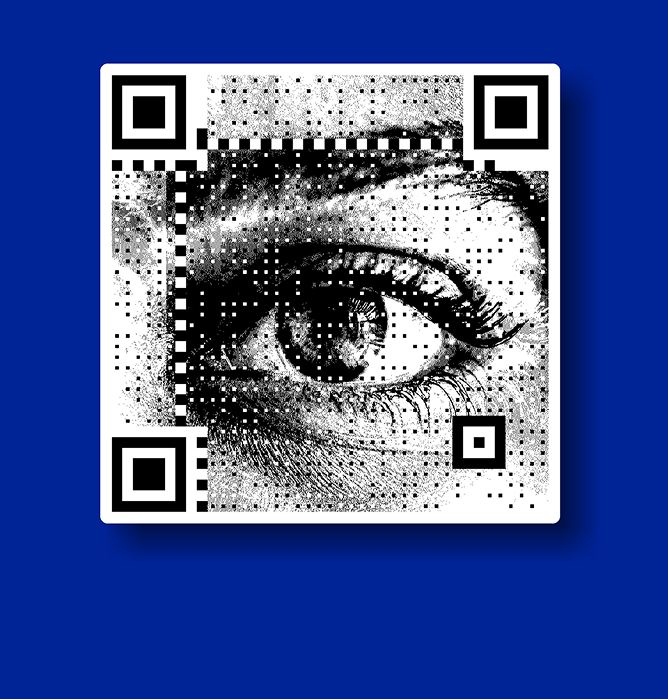
White QR Code Generator
Create clean, white QR codes that blend seamlessly into modern, minimal designs while remaining easy to scan. White QR codes are ideal for brands and creators who want functionality without visual clutter, especially on light or design-led backgrounds.
Whether used on digital creatives or premium print materials, white QR codes help maintain a refined, intentional aesthetic without sacrificing usability.
What is a White QR Code?
A white QR code replaces the traditional black elements with white, allowing the code to blend into lighter or minimalist designs.
While the underlying QR structure remains the same, the visual treatment is adapted to suit modern layouts.
White QR codes differ from standard black QR codes primarily in appearance, not function.
Designers and brands choose them when visual harmony is as important as scanability, especially in clean, premium environments.
Why Use a White QR Code Instead of a Black One?
Standard black QR codes can sometimes feel visually heavy, especially in refined or minimal designs.
White QR codes offer a softer alternative that integrates more naturally into light-themed layouts.
They create a cleaner visual impression, blend well with subtle backgrounds, and feel more intentional in premium branding contexts.
For design-first teams, white QR codes help preserve aesthetics without removing functionality.
Can You Create a White QR Code for Free?
Many users begin by experimenting with white QR codes at no cost, especially during the design and testing phase.
Free creation allows designers to preview how a white QR code looks within layouts before committing to final assets.
This flexibility is useful when evaluating contrast, placement, and overall visual compatibility across different formats.
How White QR Codes Stay Scannable
Scan reliability depends less on color choice and more on contrast and structure.
White QR codes remain scannable when there is sufficient contrast between the code and its background.
Maintaining the integrity of the QR pattern while adjusting colors is key.
Testing across devices and lighting conditions helps ensure that the QR code performs reliably despite its lighter appearance.
Where White QR Codes Are Commonly Used
White QR codes are commonly used in modern designs where subtlety and aesthetics matter as much as functionality. They blend seamlessly into dark or colorful backgrounds while maintaining a clean, premium look.
- Dark-themed websites and apps
- Luxury packaging and branding
- Event posters and invitations
- Product labels with bold backgrounds
- Minimal, design-led marketing materials
White QR Codes and Minimal Design Aesthetics
White QR codes naturally complement minimal and modern design systems.
Instead of standing out aggressively, they integrate into layouts and support the overall visual story.
From a QRKY perspective, QR codes should enhance design—not overpower it.
White QR codes allow functionality to exist quietly within clean, intentional creatives.
White QR Codes vs Standard QR Codes
White QR codes offer a cleaner, more modern look compared to standard black-and-white QR codes, especially on dark or colorful backgrounds. Standard QR codes focus on maximum contrast and simplicity, while white QR codes prioritize visual integration without losing scannability.
- Better fit for dark backgrounds
- More visually subtle and premium
- Ideal for modern brand designs
- Standard codes remain more universal
- Both scan reliably when designed correctly
Best Practices When Creating White QR Codes
When creating white QR codes, maintaining strong contrast with the background is critical for reliable scanning. Careful design choices and testing help ensure white QR codes work well across digital and print formats.
- Use solid, dark backgrounds for clarity
- Avoid busy or textured surfaces
- Maintain clear quiet zones around the code
- Test scans on multiple devices
- Check performance in print and screen use
Create a White QR Code
Create QR codes that match your design style without compromising usability.
White QR codes are simple to generate and easy to adapt across digital and print formats, making them a strong choice for modern, design-led projects.
Latest Blogs on QR Code Design & Usage
White QR codes are part of a broader shift toward design-conscious QR usage. These articles explore how visual choices, contrast, and layout affect scan performance and user trust, helping teams create QR codes that look good and work reliably.
FAQs
White QR Code Generator
What is a White QR code?
A white QR code is a QR code designed using white elements instead of the traditional black, typically placed on a darker or contrasting background.
How is a White QR code different from a standard QR code?
The difference is visual, not functional. White QR codes offer a softer, more design-friendly appearance while following the same QR structure.
Are White QR codes easy to scan?
Yes, as long as there is sufficient contrast between the QR code and its background, white QR codes scan reliably across devices.
Can I create a White QR code for free?
Many tools allow users to create white QR codes at no cost, especially for testing and design exploration.
Where are White QR codes best used?
They are commonly used in minimalist designs, premium branding, light-themed layouts, website banners, and modern print or digital creatives.
Do White QR codes work on printed materials?
Yes. When printed at the right size with proper contrast and testing, white QR codes work well on packaging, posters, and invitations.
Do White QR codes work on all devices?
Yes, they are compatible with all modern smartphones and QR scanners when designed correctly.
Can White QR codes be customized further?
Yes, white QR codes can be paired with different backgrounds, shapes, or subtle design elements while maintaining scan reliability.
Are White QR codes suitable for professional or business use?
Yes. White QR codes are often chosen by brands that prioritize clean, modern, and premium visual presentation.
What should I avoid when creating a White QR code?
Avoid low-contrast backgrounds, busy textures, and skipping scan tests, as these can reduce scan success.