Create QR Code for URL or Link
Turn any website link, webpage, or URL into a scannable QR code in seconds. Create QR codes for links that are easy to scan, simple to share, and ready for real-world use across print and digital formats.
What is a Link to QR Code Generator?
This makes QR codes ideal for sharing links in physical spaces, on printed materials, or anywhere typing a URL is inconvenient.
Why Convert a Link into a QR Code?
Businesses use QR codes for links to increase engagement, reduce user effort, and connect offline touchpoints directly to online destinations. The faster the access, the higher the likelihood of action.
How Do You Convert a Link into a QR Code?
Creating a QR code from a link is simple and visual-first, especially when the QR code is meant for real-world use.
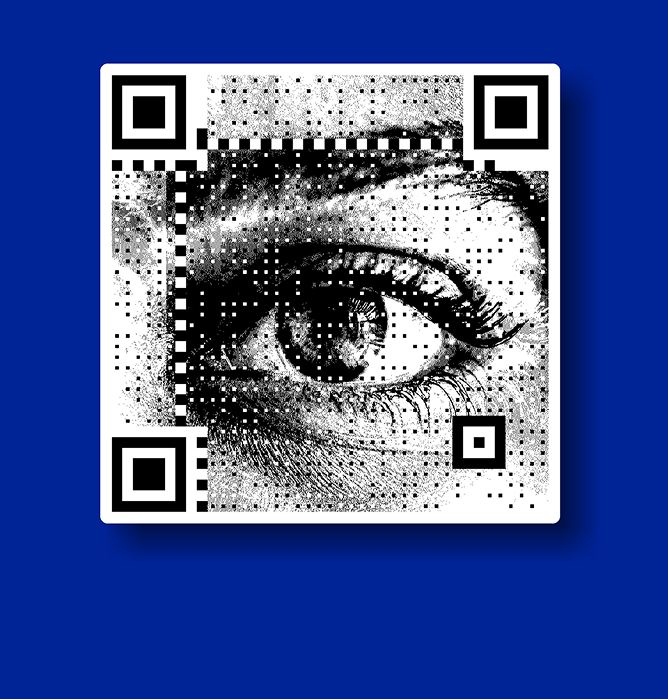
Step 1: Select an image or creative
If the QR code is part of a poster, menu, packaging, or digital design, choose the image or creative where it will appear.
Step 2: Enter the link or URL
Paste the website URL, landing page, or webpage you want users to open when they scan the QR code.
Step 3: Generate the QR code
The link is instantly converted into a scannable QR code that works across devices.
Step 4: Choose a QR code style
Select a visual style that fits your use case—simple, branded, or creative—so the QR code blends naturally with its surroundings.
Step 5: Scan and test
Always scan the QR code before publishing or printing to ensure it opens the correct link smoothly.
Common Use Cases for Link-Based QR Codes
QR codes created from links are widely used across industries and formats. They are commonly used for:
- Website and landing page access
- Product pages from packaging
- Event registrations and ticket links
- Payment and checkout links
- App download pages
- Forms, feedback, or contact pages
This flexibility makes link-based QR codes one of the most practical QR use cases.
Static vs Dynamic QR Codes for Links
Not all QR codes behave the same way once they are created.
Static QR codes permanently store the link. If the URL changes, the QR code must be recreated and redistributed.
Dynamic QR codes allow the destination link to be updated without changing the QR code itself. This makes them useful for ongoing campaigns, repeated use, or environments where links evolve over time.
Why QR Code Reliability Matters
A QR code that fails to scan creates friction instead of convenience. Poor contrast, incorrect sizing, or improper placement can reduce scan success significantly.
Reliable QR codes are designed to work across devices, lighting conditions, and distances. Testing and thoughtful placement are essential, especially for printed or outdoor use.
How QRKY Supports Link-Based QR Codes
QRKY is built for scenarios where QR codes are used beyond one-time sharing. It supports link-based QR codes that:
- Scan reliably across print and digital surfaces
- Fit naturally into creative designs
- Support reuse across locations and campaigns
- Adapt as usage grows and evolves
The focus is on making QR codes practical, dependable, and easy to scale.
Create a QR Code for Your Link
Whether you are testing QR codes for the first time or planning to use them across multiple touchpoints, start with a simple link.
Create, scan, and see how QR codes can simplify access to your web pages.
Latest Blogs on Link-Based QR Codes
QR codes created from links play a critical role in connecting offline and online experiences. These articles explore best practices, common mistakes, and evolving trends in link-based QR code usage. Stay updated with practical insights to improve scan rates, reliability, and user experience.
FAQs
Creating QR Codes for URLs and Links
Link-based QR codes are easy to create, but using them effectively requires a clear understanding of how they work. These FAQs address common questions around functionality, reliability, and usage.
Can I create a QR code from any URL or website?
Yes, almost any valid website link or webpage can be converted into a QR code. As long as the URL opens in a browser, it can be encoded into a QR code.
Do users need an app to scan QR codes?
Most modern smartphones can scan QR codes directly using their built-in camera. No separate app is usually required for scanning.
Can I create a QR code for a link for free?
Many tools allow users to create basic QR codes for links at no cost. These are commonly used for testing, small campaigns, or short-term needs.
What happens if I change the link after creating a QR code?
With static QR codes, the link cannot be changed. Dynamic QR codes allow you to update the destination link without changing the QR code itself.
Will QR codes for links work on printed materials?
Yes, QR codes work well on posters, menus, packaging, and flyers when printed at the right size and tested beforehand.
Are link-based QR codes safe to use?
QR codes themselves are safe, as they simply store data. Users should always scan QR codes from trusted sources to avoid unknown destinations.
Can the same QR code be used in multiple places?
Yes, a single QR code can be reused across different locations and formats, making it easy to maintain consistency across campaigns.
What types of links are commonly used with QR codes?
QR codes often link to websites, payment pages, product details, booking forms, menus, or support pages depending on the use case.
How can I improve QR code scan success?
Ensure good contrast, sufficient size, and clear placement. Testing the QR code in real conditions greatly improves reliability.
Are QR codes suitable for long-term use?
Yes, especially when designed thoughtfully. QR codes are often used as access points to ongoing content such as menus, help pages, and product information.