Create an Image-Based QR Code in Seconds
Create QR codes that connect users directly to images, photos, or visual content.
An image QR code lets people instantly view visuals by scanning with their smartphone—no typing, no searching, no friction. Whether for print, packaging, or digital media, image-based QR codes make visual content accessible anywhere.
What Is an Image QR Code?
An image QR code is a QR code that links to an image, photo, or visual asset hosted online. When scanned, it opens the image or a page displaying the visual content.
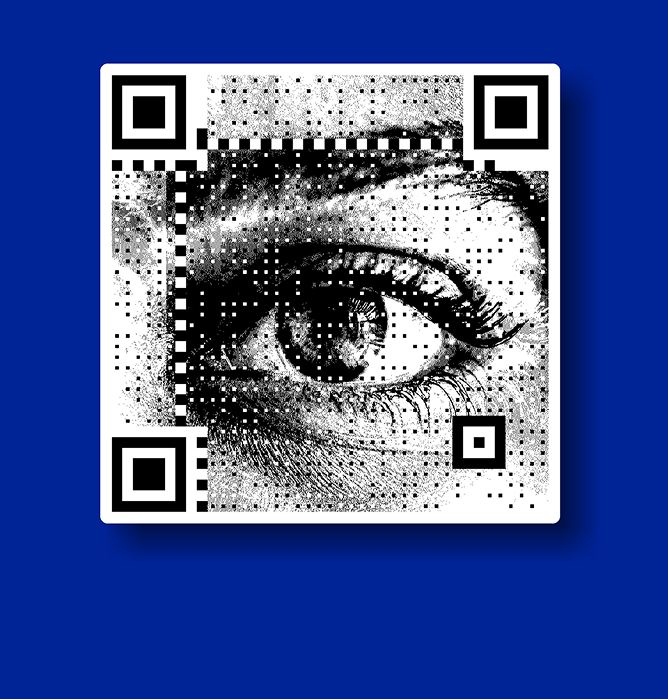
It can also refer to a QR code that visually incorporates an image as part of its design, while remaining fully scannable. Image QR codes are commonly used to share visuals instantly through a simple scan.
How to Create a QR Code from an Image or Photo
Creating an image-based QR code is a straightforward process and works across devices and platforms.
Step 1: Upload or select your image
Choose the image you want users to view. This could be a JPG, PNG, product image, menu photo, or campaign creative.
Step 2: Generate the QR code
The image is linked to a QR code that opens the visual when scanned.
Step 3: Test the scan
Scan the QR code using a smartphone camera to ensure the image loads correctly and quickly.
Step 4: Share across formats
Use the QR code on print materials, packaging, screens, posters, or digital assets.
This approach supports common needs like photo to QR code and JPG to QR code generation.
Why Businesses Use QR Codes with Images
Image-based QR codes help businesses communicate visually without relying on text-heavy explanations. They are commonly used for:
- Product images and visual galleries
- Restaurant menus and catalogs
- Instruction manuals and how-to visuals
- Event photos and immersive experiences
- Campaign creatives, lookbooks, and branding assets
Images create faster understanding, and QR codes make them instantly accessible.
Image QR Codes vs Standard QR Codes
Image QR codes and standard QR codes serve different purposes, and understanding the distinction reduces confusion.
QR codes do not store images inside them. Instead, they point to a destination such as an image URL, gallery, or webpage. Adding visual styling to a QR code does not change its core function—it still directs users to a linked destination.
This clarity helps users choose the right QR format for their use case.
Where Simple Image QR Generators Fall Short
Basic image QR generators are useful for quick tests, but they have limitations. Common challenges include:
- Image links changing while the QR code stays static
- No visibility into how or where scans happen
- Limited reliability in real-world environments
- Difficulty scaling across multiple locations or campaigns
As QR codes move from experimentation to execution, these gaps become more visible.
When Image QR Codes Become Part of Real Campaigns
Once QR codes are placed on packaging, posters, retail displays, or outdoor media, expectations change.
At this stage, QR codes are no longer just tools. They become part of the creative itself, expected to perform consistently, adapt over time, and integrate naturally into visual design.
This is where image-led QR usage shifts from basic generation to experience design.
How QRKY Extends Image QR Code Use Cases
QRKY is designed for image-first QR interactions used in real environments.
It enables teams to:
- Overlay QR call-to-actions directly onto visuals
- Update destinations without reprinting materials
- Design contextual, image-led scan experiences
- Measure engagement in a privacy-safe way
The focus is not on generating QR codes, but on making image-based interactions work reliably at scale.
Try QRKY with Your Own Creative
If you’re using images across packaging, print, or screens, QR codes should feel like a natural extension of your design.
Test how image-led QR interactions perform in real-world environments and see how visuals and scans work together.
Latest Blogs on Image-Based QR Codes
Image-led QR codes are becoming central to how brands share visual content across physical and digital spaces. These articles explore practical use cases, design considerations, and evolving best practices for image-based QR interactions.
Learn how businesses use QR codes to make visuals more accessible, engaging, and measurable.
FAQs
Image QR Code Generators
Image QR codes are widely used, but there are common questions around how they work and where they perform best. These answers clarify functionality, reliability, and usage considerations.
Can a QR code contain an actual image inside it?
QR codes do not store images within them. Instead, they link to an image or visual destination that opens when scanned.
Does adding an image affect QR code scan reliability?
If designed correctly, image styling does not affect scanning. Proper contrast, sizing, and placement are essential for reliable scans.
Can I create a QR code from a JPG or photo?
Yes, you can generate a QR code that links directly to a JPG, PNG, or photo hosted online, allowing users to view it instantly.
Can I change the image after creating the QR code?
With static QR codes, the linked image cannot be changed. Dynamic QR codes allow you to update the destination image without changing the QR code.
Do image QR codes work on all smartphones?
Yes, image QR codes work on most modern smartphones using the built-in camera app, as long as the destination image is accessible online.
Are image QR codes suitable for printed materials?
They work well on print when the QR code is sized properly and tested in real lighting and distance conditions.
Are image QR codes free to create?
Many platforms allow free creation of basic image QR codes, which are often used for testing or small-scale use.
What are common uses for photo-based QR codes?
They are often used for menus, product visuals, instructions, galleries, event photos, and campaign creatives.
Do image QR codes require internet access?
Scanning works offline, but loading the image requires an internet connection since the image is hosted online.
Are image QR codes suitable for long-term campaigns?
Yes, when designed thoughtfully and managed properly, image QR codes are used for ongoing retail, packaging, and brand experiences.